

Tera24

SSD upgrade / installation for desktop PC (SATA, NVMe)

Is your PC sluggish or booting too slowly? Upgrading to an SSD (or adding a second SSD) drastically speeds up Windows, apps, and games. We pick the right form factor (2.5" SATA or M.2 NVMe), clone or clean‑install your system, then fine‑tune settings for lasting performance.

SSD upgrade or installation around Saint‑Chamassy (Audrix, Le Buisson‑de‑Cadouin, Limeuil, Coux‑et‑Bigaroque‑Mouzens…).

Upgrade PC RAM

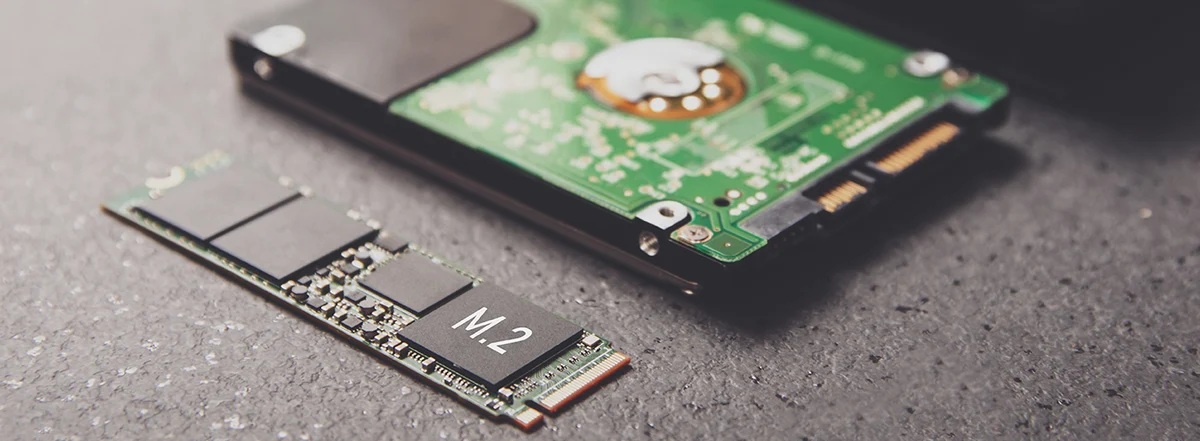
SSD replacement on a desktop PC — 2.5" SATA and M.2 NVMe formats
© AdobeStock

Instant speed boost for your PC

Form factor & capacity advice, cloning or clean install, Windows and BIOS/UEFI optimization

  • PC assessment and advice on the proper format (2.5" SATA or M.2 NVMe) and capacity (500 GB to 2 TB).
  • Disk‑to‑disk cloning when relevant, otherwise clean Windows install with driver updates.
  • BIOS/UEFI adjustments (boot order, AHCI/RAID, NVMe), SMART checks, and Windows optimization for responsiveness.

Signs you should upgrade

  • • Very slow Windows startup, apps taking too long to open.
  • • Stutters or freezes during browsing or updates.
  • • Disk space constantly full; can’t install games/software.
  • • Disk errors, bad sectors, or unusual noises from an old hard drive.

Tip: keep at least 15–20% free space on your SSD to preserve performance and lifespan.

Our process, step by step

  1. Quick check: available ports (SATA/M.2), M.2 length (2280…), space and mounting points.
  2. SSD choice: format & capacity recommendation (office work, creative, gaming) + heatsink if needed.
  3. Backup/cloning: copy data and OS if the source drive is healthy enough.
  4. Hardware install: neat mounting of the SSD, extra cables/spacers if required.
  5. BIOS/UEFI setup: boot priority, AHCI/RAID mode, NVMe driver, firmware update if relevant.
  6. Optimizations: TRIM, indexing, fast startup, SMART check/light benchmark, plus usage tips.

Compatibility & formats

  • Formats : Supported formats: 2.5" SATA, M.2 NVMe/SATA, multiple lengths (2280…), with or without heatsink.
  • Clonage & migration : Disk‑to‑disk cloning or clean install depending on system health and your preferences.
  • BIOS/UEFI : Clean boot configuration (UEFI, boot priority, NVMe drivers) for a fast and reliable startup.
  • Capacity guidance (500 GB, 1 TB, 2 TB) by use case: office, photo/video, gaming, light AI.

Eco‑friendly & reuse

When possible, we repurpose your old drive (secondary storage or USB enclosure) to reduce waste.

We favor reliable, well‑supported components and update firmware when it benefits stability.

Three ways to proceed

On‑site replacement, local workshop, or manufacturer service: we help you choose based on urgency and budget.

On‑site (at your place)

Pros

Fast, convenient, explanations in person, no long downtime.

Cons

For lengthy tasks (large cloning, full reinstall), the workshop can be more comfortable.

Local workshop

Pros

Deeper tests, slow cloning without tying you up, multi‑hour observation if needed.

Cons

You need to drop off your PC; plan for pickup time.

Manufacturer/SAV

Pros

May be covered under warranty or recall.

Cons

Longer delays, less customization, potential data wipe.

Good to know: keeping free space and enabling TRIM extends SSD performance.

Common questions (FAQ)

Cloning is faster and keeps your apps. If the source drive is degraded or Windows is unstable, a clean install is better for a fresh, reliable setup.
We check for an M.2 slot (and its length 2280/2260), available PCIe lanes, and NVMe support in BIOS. If not, a 2.5" SATA SSD is a solid alternative.
On‑site, allow about 1–2 hours for a simple swap. Large cloning or extended tests are best handled at the workshop.

Instant speed boost for your PC

Good to know: keeping free space and enabling TRIM extends SSD performance.

Free travel within 20 km of Saint‑Chamassy, then 10€ + €0.50/km beyond (service available up to ~60 km).

What they say about Tera24

Johanna Stobbs ★★★★★
21/02/2026

Excellent!

Regine LADEUIL ★★★★★
27/01/2026

I had a problem with my antivirus and the Windows 11 installation. I contacted Tera24. I want to thank Damien for his quick and professional service. The repair was carried out with great care, and hi… Read more

Corinne et Patrice ★★★★★
27/01/2026

Excellent troubleshooting and detailed explanations. Very quick response. We should meet again as soon as I have a moment for further assistance transferring from an old computer to a laptop. See you… Read more

Helen Hall ★★★★★
05/09/2025

Damien was exceptional from the first contact. We had been struggling with our Samsung Snapdragon laptop that wouldn't connect to a printer. Damien was able to rectify this for us and we are now abl… Read more

Axel Descollonge ★★★★★
24/07/2025

Excellent service! I entrusted them with my speaker for repair, and the work was done quickly and perfectly. Very professional, friendly, and attentive. I 100% recommend them for any type of computer … Read more