

Remote Troubleshooting
Here is the procedure for obtaining remote assistance.
How does remote troubleshooting work?
Remote assistance is a service that allows a technician to take control of your computer remotely in order to resolve an issue or help you use a software.
When TeamViewer QuickSupport is running, a window will open showing a unique ID and a temporary password.
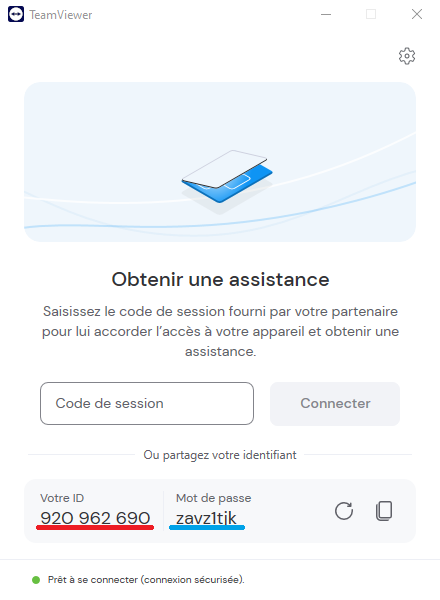
Provide me with the ID and password displayed, as shown in the previous screenshot. These details are essential for establishing the connection. (The ID is underlined in red in the screenshot; the password is underlined in blue.)
Once the connection is established, you will see everything I do on your computer. You can also interact with me using your keyboard and mouse.
The temporary password generated is valid only for the current session and will change with each new session. This ensures I cannot take control of your computer without your consent and presence.
During the session, you can end the connection at any time by closing the TeamViewer QuickSupport window or by clicking on "Close Session" if you wish to regain control.
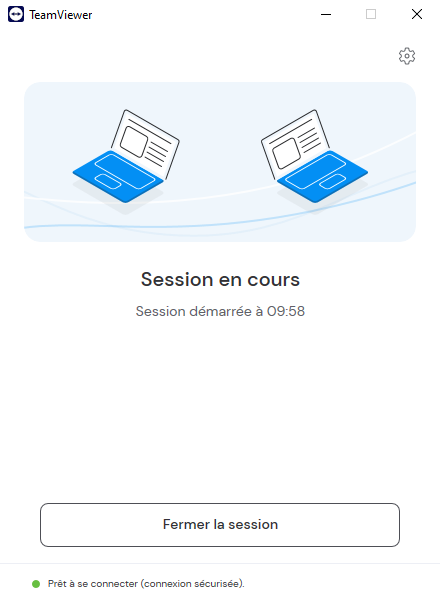
Once the session ends, TeamViewerQS will automatically close and the temporary password will no longer be valid.
What they say about Tera24
Excellent!
I had a problem with my antivirus and the Windows 11 installation. I contacted Tera24. I want to thank Damien for his quick and professional service. The repair was carried out with great care, and hi… Read more
I had a problem with my antivirus and the Windows 11 installation. I contacted Tera24. I want to thank Damien for his quick and professional service. The repair was carried out with great care, and his explanations were clear. I am very satisfied with the service and highly recommend them. I will definitely use their services again if needed. Thank you, Damien.
Excellent troubleshooting and detailed explanations. Very quick response. We should meet again as soon as I have a moment for further assistance transferring from an old computer to a laptop. See you… Read more
Excellent troubleshooting and detailed explanations. Very quick response. We should meet again as soon as I have a moment for further assistance transferring from an old computer to a laptop. See you soon. Sincerely,
Damien was exceptional from the first contact. We had been struggling with our Samsung Snapdragon laptop that wouldn't connect to a printer. Damien was able to rectify this for us and we are now abl… Read more
Damien was exceptional from the first contact. We had been struggling with our Samsung Snapdragon laptop that wouldn't connect to a printer. Damien was able to rectify this for us and we are now able to print with no issues. Professional, courteous and experienced. Merci Damien, Helen
Excellent service! I entrusted them with my speaker for repair, and the work was done quickly and perfectly. Very professional, friendly, and attentive. I 100% recommend them for any type of computer … Read more
Excellent service! I entrusted them with my speaker for repair, and the work was done quickly and perfectly. Very professional, friendly, and attentive. I 100% recommend them for any type of computer or audio repair!