
Tech Buying Guides
USB-C Dock and Dual Monitors: Check Compatibility Before You Buy
Video, power, cables and graphics limits: verify the whole chain before buying a USB-C dock for two monitors.

Tech Buying Guides / Practical guide
THE TERA24 JOURNALChoose a UPS around essential devices first
I start with real load, useful runtime and the shutdown scenario rather than the largest VA figure.
The Tera24 approach
Verify outlets, communication and the battery
The exact model must form a coherent chain with the router, NAS or PC you intend to protect.
A UPS provides immediate backup power when an outage occurs. It can also protect connected equipment against certain electrical disturbances. Its purpose is not to make an installation independent for an unlimited time: it mainly gives essential equipment a short operating window or enough time for a controlled shutdown.
I separate three functions. Backup power takes over during an outage. Voltage regulation concerns voltage variations and must be checked on the exact model. Surge protection limits certain spikes without producing energy. A basic surge-protection strip can help against those spikes, but it supplies no power when utility power disappears. If you need a router to remain available briefly, a NAS to enter a safe state or a PC to finish shutting down, you must examine the functions actually provided rather than rely on the word “protection” alone.
Keep the limit clear: a UPS reduces certain risks and provides time. It cannot guarantee complete protection, universal runtime or prolonged operation for every device in the office.
Correct sizing starts with the total watt load of the devices that will really use the battery-backed outlets. I do not start from room size, the total number of devices you own or the most impressive VA figure. I list the equipment that must remain powered during an outage, then obtain its consumption or electrical information for the exact model.
Adding more battery-powered equipment reduces the available runtime. Reserving those outlets for essential functions is often more sensible than trying to support the entire workstation. If you are still deciding which storage device needs protection, my comparison of a NAS and an external hard drive covers that separate choice.
I keep a margin suited to the project, but I do not turn it into a universal rule. Without the exact specifications of the UPS and connected devices, a numerical recommendation would be misleading. The required outcome should remain concrete: which devices, what real load and how much time is needed to maintain or shut them down?
Three pieces of information are often mixed together. Watts describe the real power requested by the devices. A VA rating is a capacity characteristic of the UPS, but it does not by itself state what the unit can support. Runtime describes how long the battery can sustain a specific load.
I therefore check at least the model’s supported wattage, its VA rating and its published runtime data for a load comparable to the project. I never infer a duration from VA alone. Two installations connected to the same UPS can obtain different runtimes when their loads differ.
The runtime requirement must also be defined before buying. Keeping a router available during a short interruption is not the same goal as allowing a NAS to enter Safe Mode or giving a PC time to shut down. As the load increases, available runtime decreases, so the result must be checked against the exact model’s manufacturer data or sizing tool.
Before you buy: compare the real watt load with the UPS watt capacity, then check the stated runtime at that load. A large VA number on its own answers neither question.
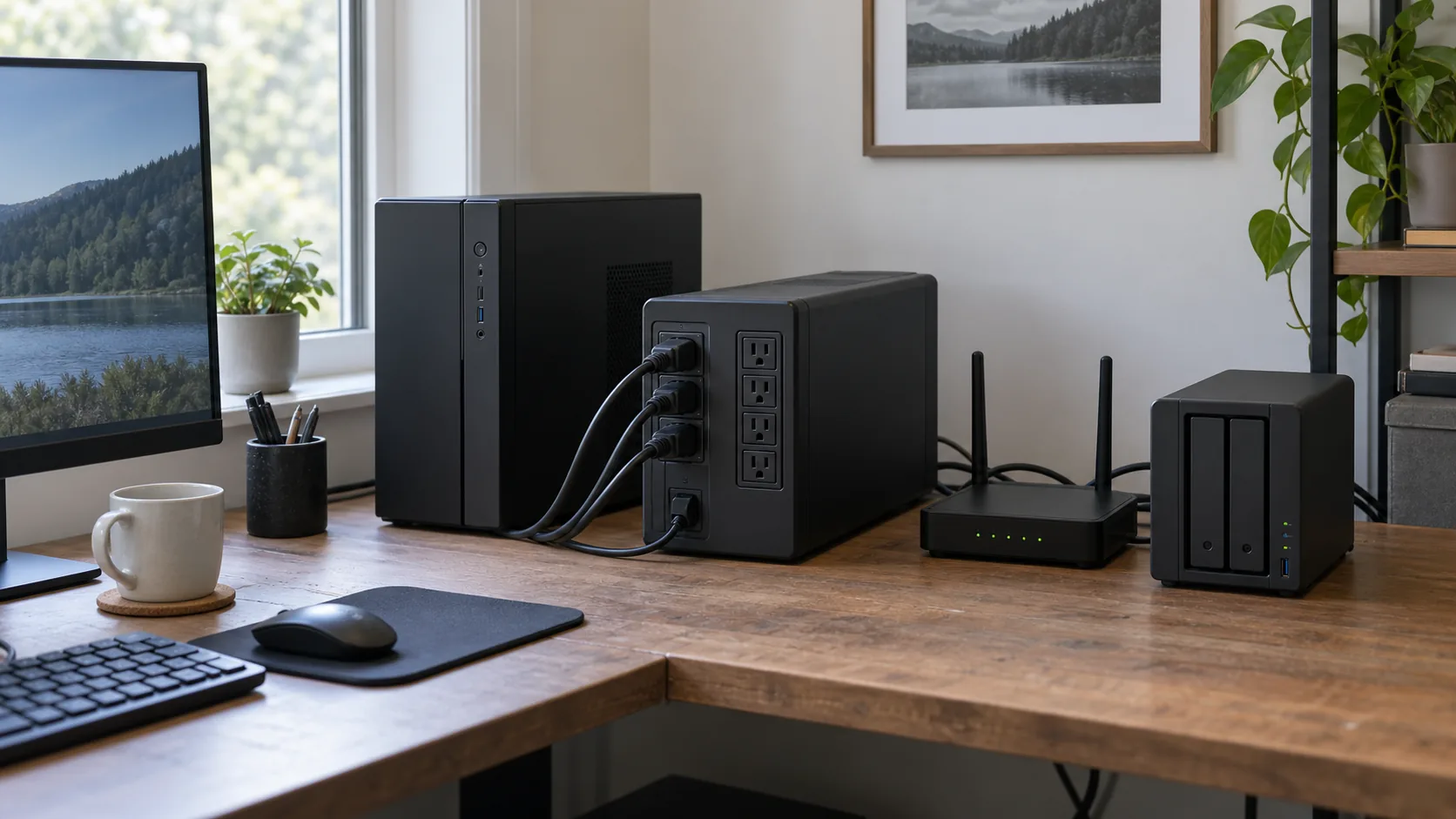
Not every outlet visible on a UPS necessarily has the same role. Some outlets receive battery power and surge protection, while others may provide surge protection only. You must verify that distribution in the documentation and on the exact model before connecting equipment.
I place only the devices from the essential inventory on battery-backed outlets. A device connected to a surge-only outlet will switch off during an outage even though it is physically plugged into the UPS. Conversely, using a battery-backed outlet for a non-essential device increases the load and reduces the time available to priority equipment.
Clear cabling also makes testing and future battery replacement easier. If a label or symbol is unclear, I consult the manual instead of guessing an outlet’s purpose from its position or colour.
The battery alone does not guarantee that a device will know what to do before it runs out. A compatible Synology NAS can use UPS information to enter Safe Mode automatically when the battery becomes low or after a configured delay. Safe Mode is intended to stop services and protect volumes before the battery is exhausted.
This function requires UPS support to be enabled and the communication or connection type to be compatible with the NAS. I therefore check the compatibility information, intended link and available settings on both devices. The presence of a port or cable alone is not proof that communication will work.
For a PC, monitoring and alert functions, software support and a replaceable battery vary with the UPS model. I verify the software, supported operating system and expected behaviour instead of assuming an automatic shutdown. When no communication is available, the user must at least recognise the outage and shut the computer down within the available time.
Essential check: the UPS, cable, communication method and protected device must form a compatible chain. A correctly sized battery without a shutdown signal may delay power loss without ensuring a controlled shutdown.
A UPS is not equipment that should be connected and forgotten. Its battery must remain capable of providing the expected time, alerts must be understood and the installation should be tested periodically. Some models offer replaceable batteries and monitoring or alert functions, but those characteristics must be checked on the exact reference.
I plan a controlled test after installation: do essential devices remain powered, does the NAS receive the UPS information, does it enter the configured state, and do non-priority devices behave as expected? The test must follow the manufacturer’s instructions and must not put data at risk.
The total cost therefore includes the battery and its possible replacement, not only the original enclosure. I keep the model reference, installation date, test result and shutdown procedure available. For a separate explanation of how to organise data copies, see the 3-2-1 backup strategy.
The right UPS is not necessarily the largest one. It is the model whose watt capacity, runtime, outlets, communication and maintenance requirements precisely match the few devices you have chosen to protect.
Written by
IT technician and founder of Tera24, I provide computer repair, troubleshooting, and optimization services throughout Dordogne, helping individuals and businesses keep their technology running smoothly.
About Tera24 ↗From guide to workshop
Further reading
Tech Buying Guides
Video, power, cables and graphics limits: verify the whole chain before buying a USB-C dock for two monitors.
Tech Buying Guides
Workload, condition, battery, warranties and repairability: practical checks before buying a refurbished computer.
Tech Buying Guides
Six SATA and NVMe SSDs compared by compatibility, capacity and real PC use.